
Audit Overview
Your store's untapped revenue potential — and how to unlock it
Why We Created This Audit
We analyzed irwinnaturals.com the same way we've audited 350+ e-commerce stores — looking for the specific gaps between your current experience and what top-performing Health & Wellness stores deliver. Every finding in this report is a revenue opportunity backed by industry data and competitive benchmarks.
What We Analyzed
- UX & Conversion Design15 findings
- Technology & App StackPlatform + 6 apps
- Industry BenchmarksHealth & Wellness
Pages Analyzed
- Homepage3 findings
- Collection Pages2 findings
- Product Pages (PDP)6 findings
- Cart & Checkout4 findings
 This audit was prepared by Growisto — a CRO-led Website development team behind 167% conversion growth for Atomberg, 46% CR lift for TyresNmore, and 350+ e-commerce projects.
UX & Conversion Findings
Page-by-page analysis with visual comparisons against top Health & Wellness stores
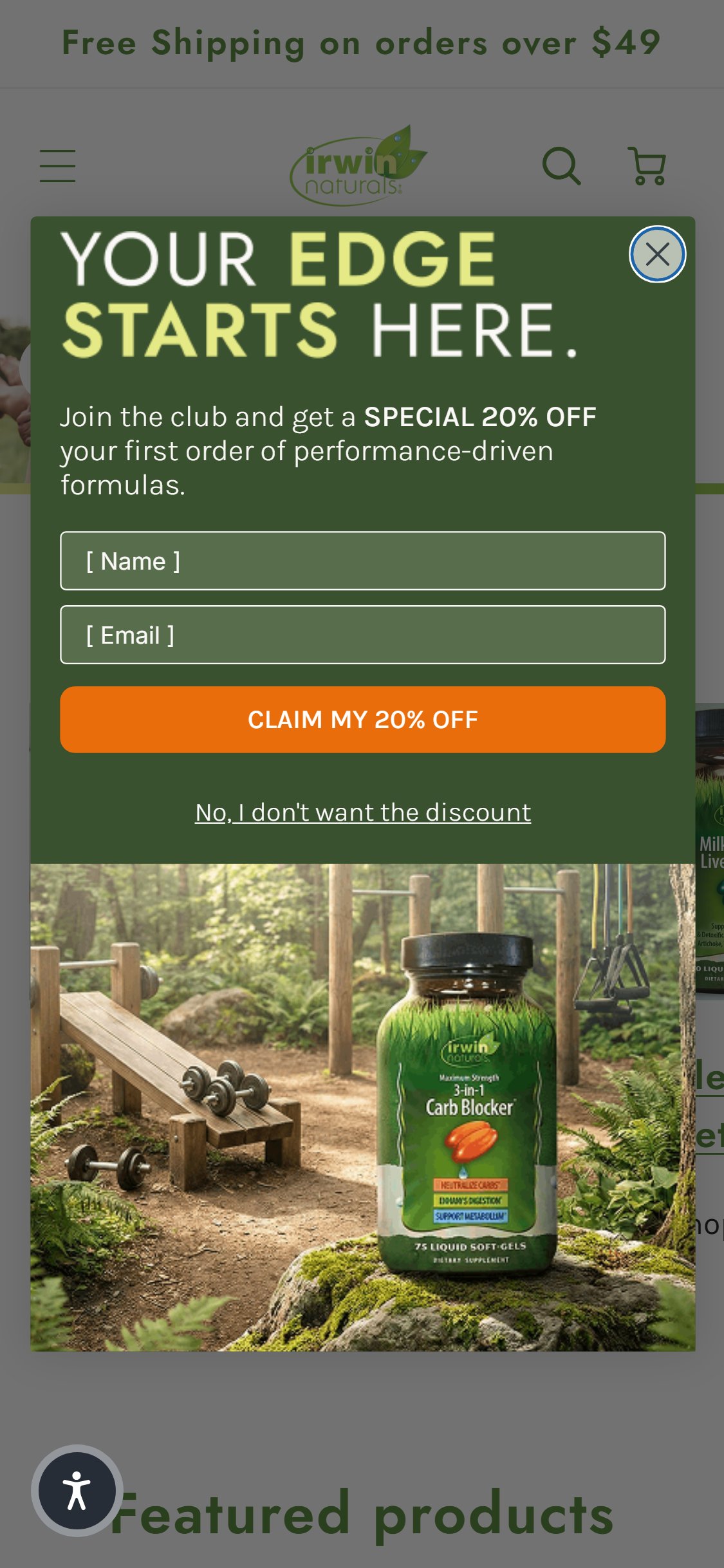
- The Klaviyo popup 'YOUR EDGE STARTS HERE' fires within 5 seconds on every page including PDPs — confirmed on homepage, Steel-Libido RED PDP, and Stored-Fat Belly Burner PDP during this audit session.
- The popup is a full-viewport takeover requiring a deliberate close action (clicking the X button) before the user can see product content or the ATC button.
- The trigger is time-based (not exit-intent), meaning it fires equally for first-time visitors still forming intent AND returning visitors who have already subscribed.
- The benchmark anti-pattern guidance specifically flags 'Email Popup During PDP Browsing' as causing 15–20% bounce increases — firing on PDP is materially worse than homepage-only.
- Move the popup trigger to exit-intent only (cursor moving toward browser top on desktop, back-button gesture on mobile) — this captures abandoning visitors without interrupting active browsers.
- Restrict popup display to homepage and blog only — never fire on collection, PDP, or cart pages where the user is actively evaluating a purchase.
- Add session suppression: if a user has dismissed the popup once in the current session, do not re-trigger it on subsequent pages.
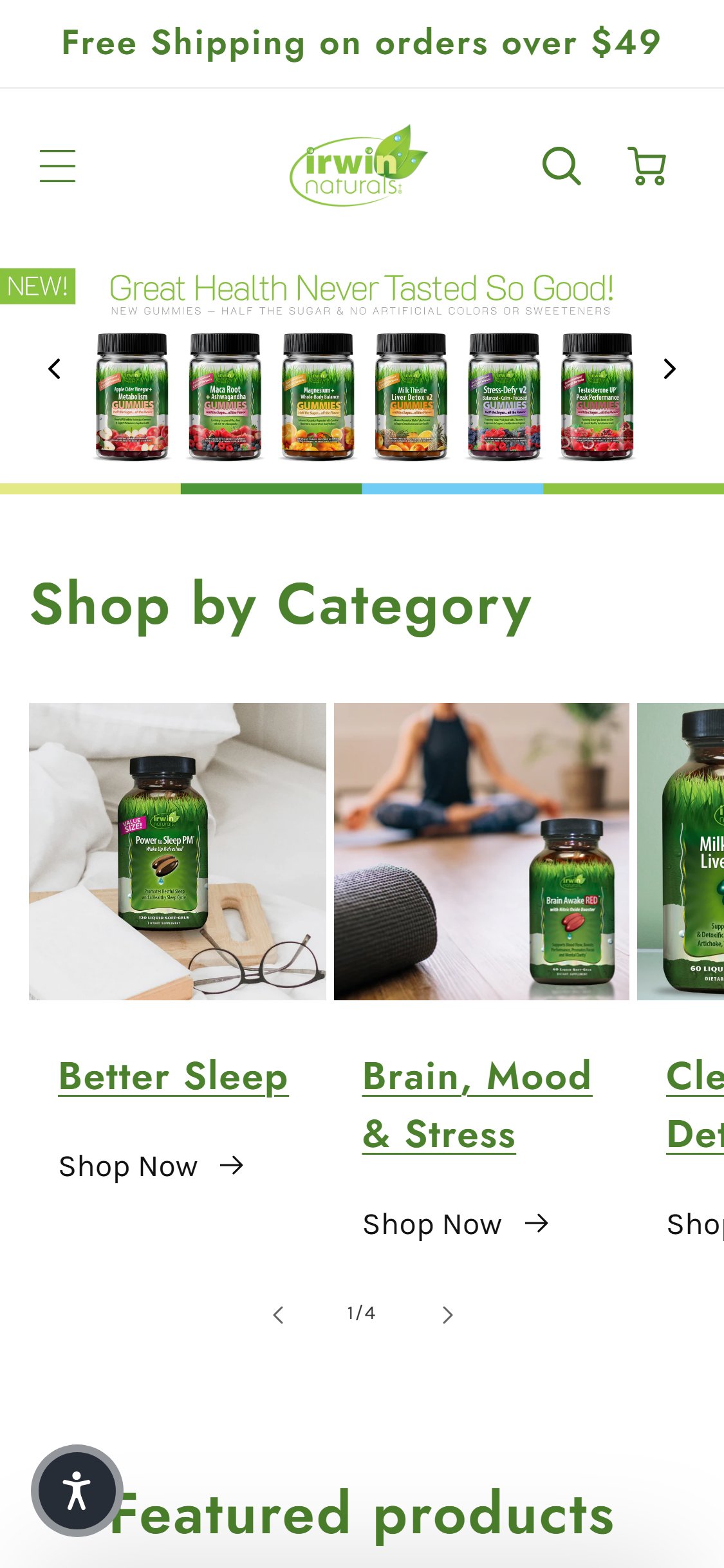
- The Irwin Naturals homepage shows: announcement bar (Free Shipping $49), logo/nav, hero carousel ('Great Health Never Tasted So Good'), and 'Shop by Category' section — no trust/USP badge bar anywhere in the first two scrolls.
- The 5 trust badges (3rd Party Lab Tested, Free Shipping Over $49, 60 Day Money Back Guarantee, In Business Since 1994, USA Grown Hemp) exist on the /collections/all page header but are completely absent from the homepage.
- US health & wellness benchmark data confirms: 9/10 top stores have a trust badge bar on homepage; 4/5 US stores specifically include Non-GMO, Vegan, Third-Party Tested, and Traceable badges.
- Irwin Naturals has strong trust credentials (30+ years, 3rd-party lab tested, USA grown hemp) that are never surfaced to first-time homepage visitors — a significant missed credibility opportunity.
- Add a horizontal trust badge bar between the hero carousel and the 'Shop by Category' section showing at minimum: 3rd Party Lab Tested, Non-GMO, 60-Day Money Back Guarantee, Free Shipping Over $49, and GMP Certified.
- Use the same 5 trust badge icons already present on /collections/all — move them to the homepage as a persistent section, not just on collection pages.
- Ensure each badge is iconographic (visual badge/seal) with a 1–3 word label — text-only claims in the hero banner do not satisfy the credibility pattern.
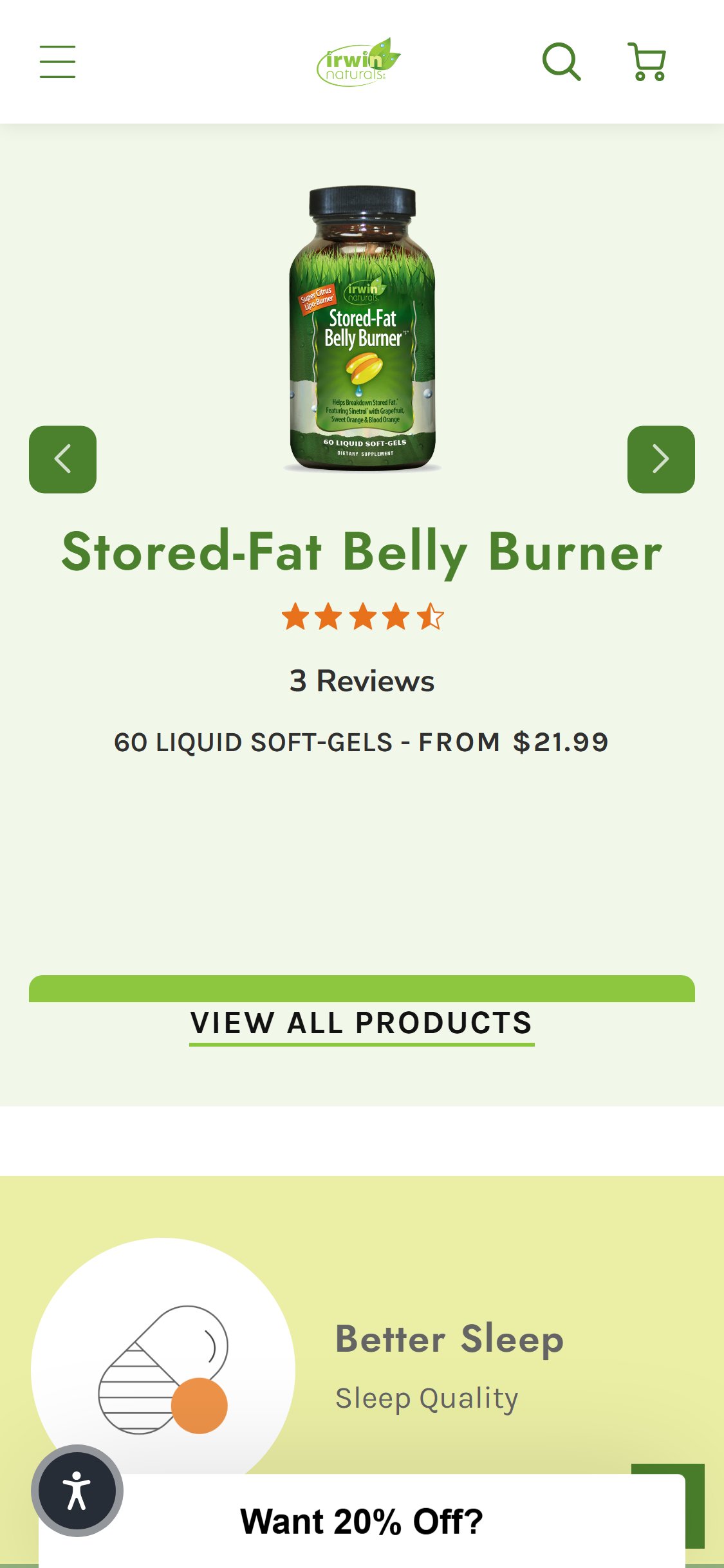
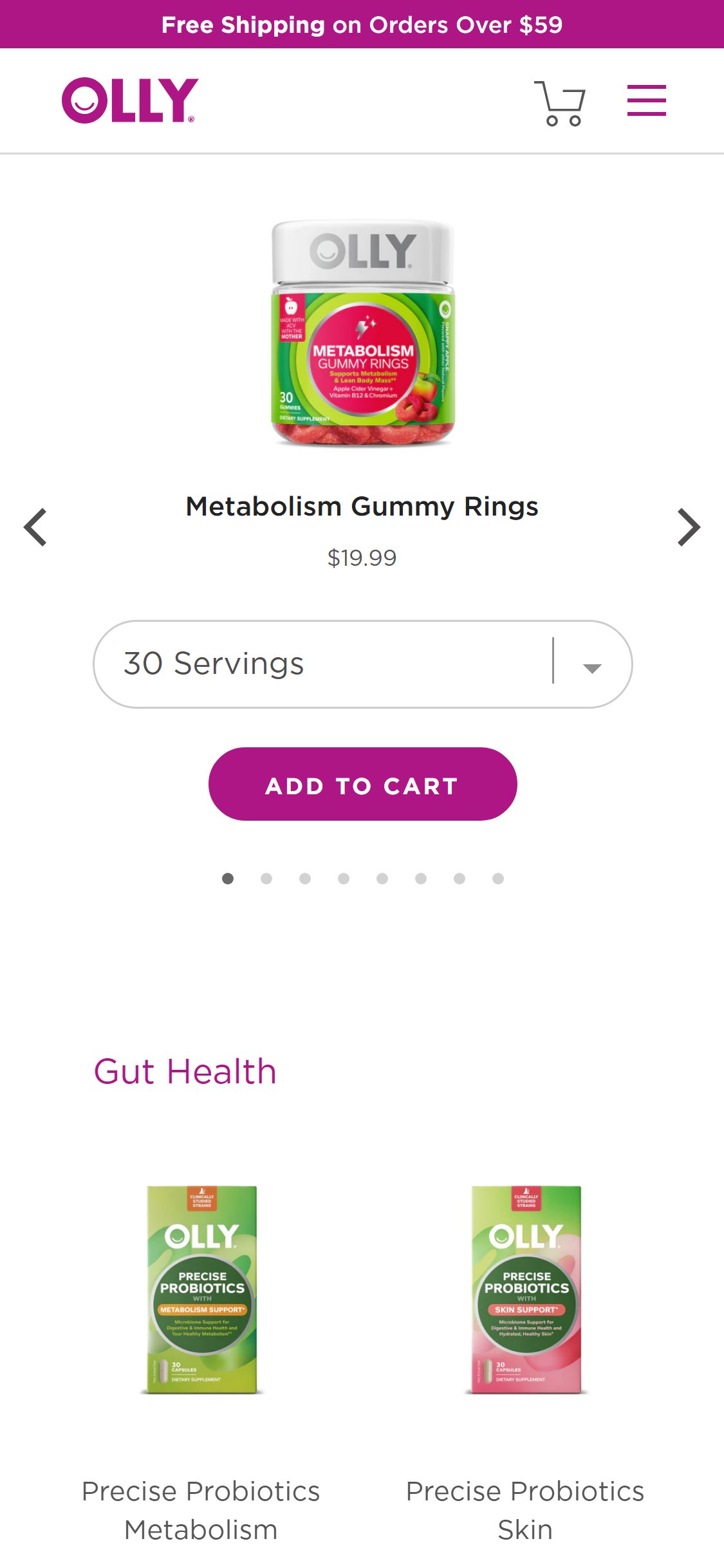
- The homepage 'Featured Products' section shows product cards with product image, title, star rating, and price — the only action available is 'VIEW ALL PRODUCTS' which goes to the collection page.
- Individual product cards on the homepage have no Add to Cart button, Quick Add link, or cart icon — clicking anywhere on a card navigates to the PDP.
- The collection page (/collections/all) correctly has both 'SHOP NOW' and 'QUICK ADD' buttons on each card — this pattern is inconsistently absent from homepage tiles.
- Return visitors and repeat buyers who already know what they want must navigate through an extra step (PDP) before adding to cart — creating avoidable friction.
- Add a 'Quick Add' button to homepage product cards that opens a variant selector modal and adds directly to cart — matching the pattern already in use on the collection page.
- Alternatively, display a green 'ADD TO CART' button below the price on each homepage product tile for products with a single variant (no selection needed).
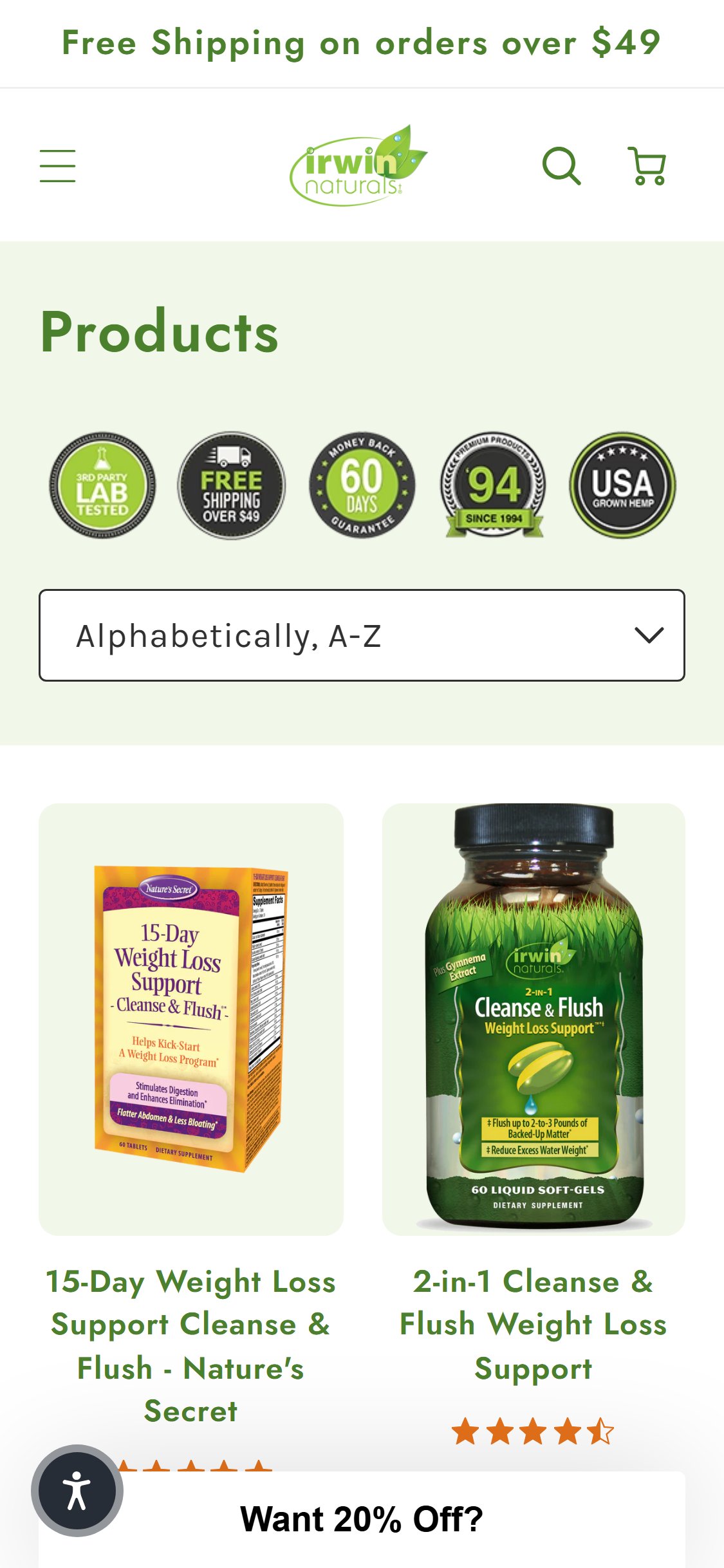
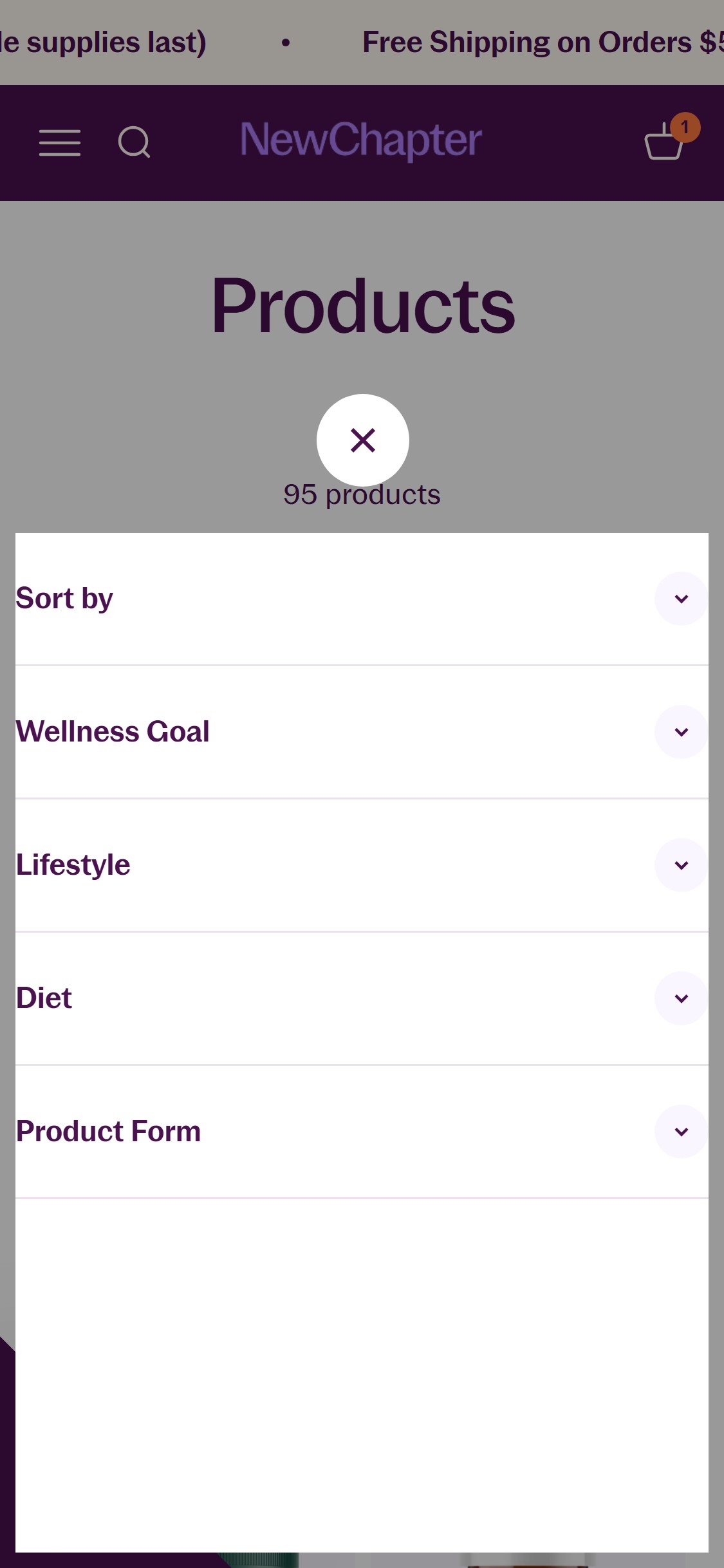
- The /collections/all page shows 5 trust badge icons followed immediately by a single 'Alphabetically, A-Z' sort dropdown — there are no filter options for product type, health concern, format (softgel/gummy/liquid), or price range.
- With a catalog spanning men's health, women's health, sleep, CBD, weight management, and digestive supplements, users have no way to narrow results by health concern or product format without scrolling through all products.
- Concern-based navigation is listed as a growing pattern (7/10 stores) in the benchmark — without filters on the collection page, the 'Shop by Category' on the homepage becomes the only filtering mechanism.
- A 'Sold Out' badge on products in the grid confirms OOS products are mixed into the main feed with no filter to hide them, adding to browse friction.
- Add a filter sidebar or filter dropdown bar with at minimum: Health Concern (Men's Health, Women's Health, Sleep, Weight Management, CBD, Digestion), Product Format (Softgels, Gummies, Liquid), and Price Range.
- Implement a 'Availability' filter toggle ('In Stock Only') so users can hide sold-out products during browsing.
- Consider adopting the Shopify native faceted filtering (free, built into Dawn OS 2.0) which requires only enabling the Collection Filtering feature in theme settings.
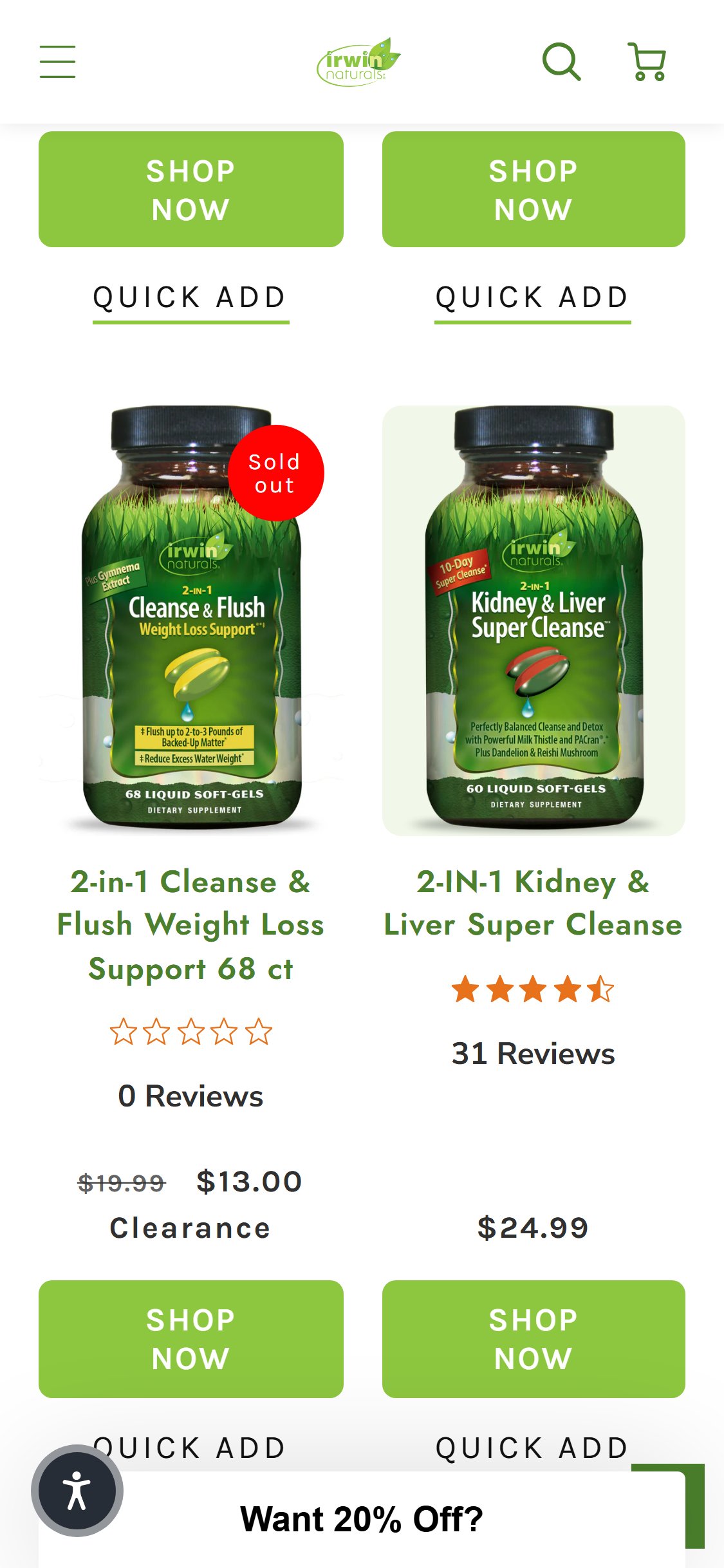
- Collection product cards show: product image, title, star rating with review count, price, SHOP NOW button, and QUICK ADD button — no count variant ('60 ct / 100 ct'), no format indicator, no 'From $X' multi-price.
- Many Irwin Naturals products come in multiple count options (e.g., Stored-Fat Belly Burner: 60 ct / 100 ct) — this is only discoverable after clicking through to the PDP.
- The Quick Add flow opens a variant selector when multiple variants exist, but the card itself gives no signal that variants exist — users don't know they have choices until after clicking.
- Subscription pricing is also absent from collection cards — 5/5 US health stores in the benchmark show subscription pricing on product cards ('From $X/mo').
- Add variant count pills below the product title on collection cards (e.g., '60 ct', '100 ct') — tapping a pill sets the variant and Quick Add adds that specific count to cart.
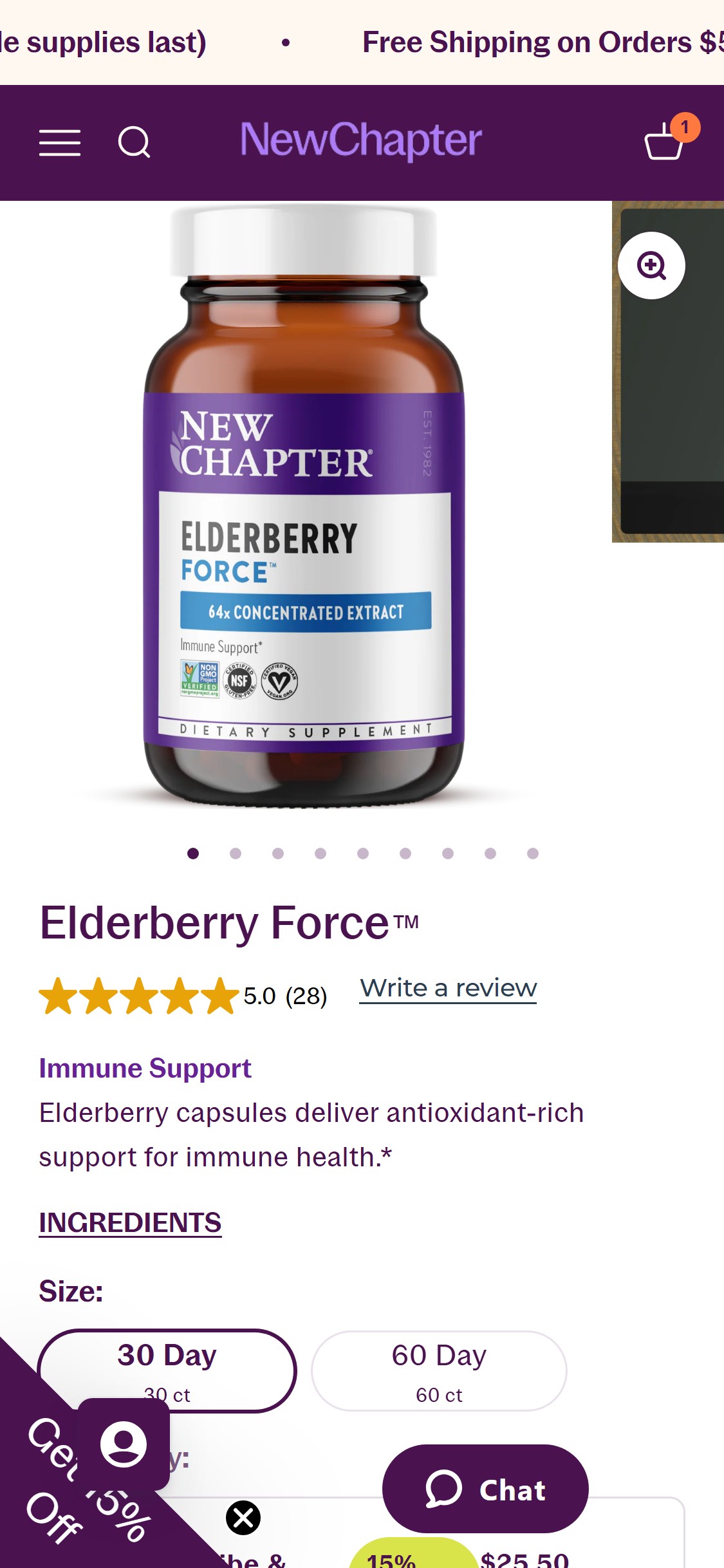
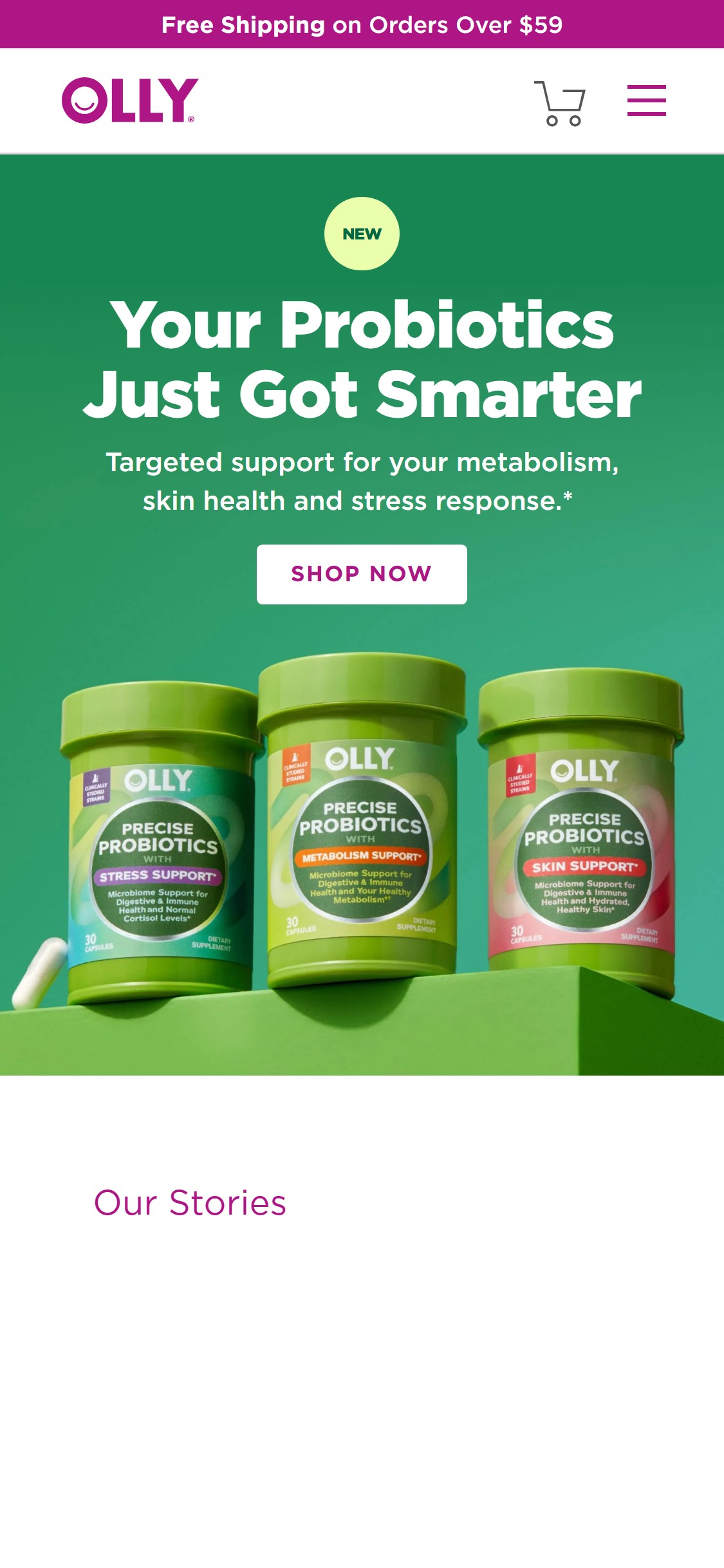
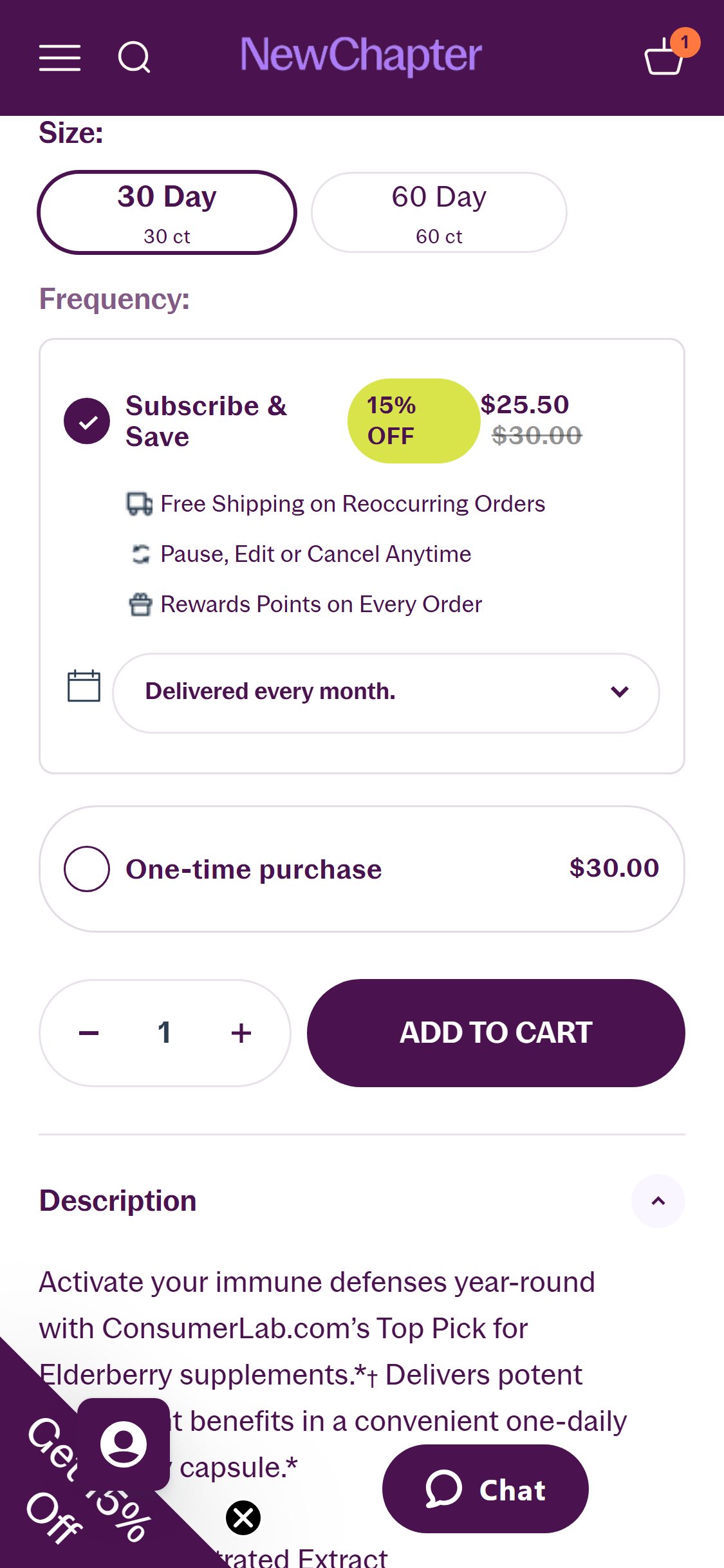
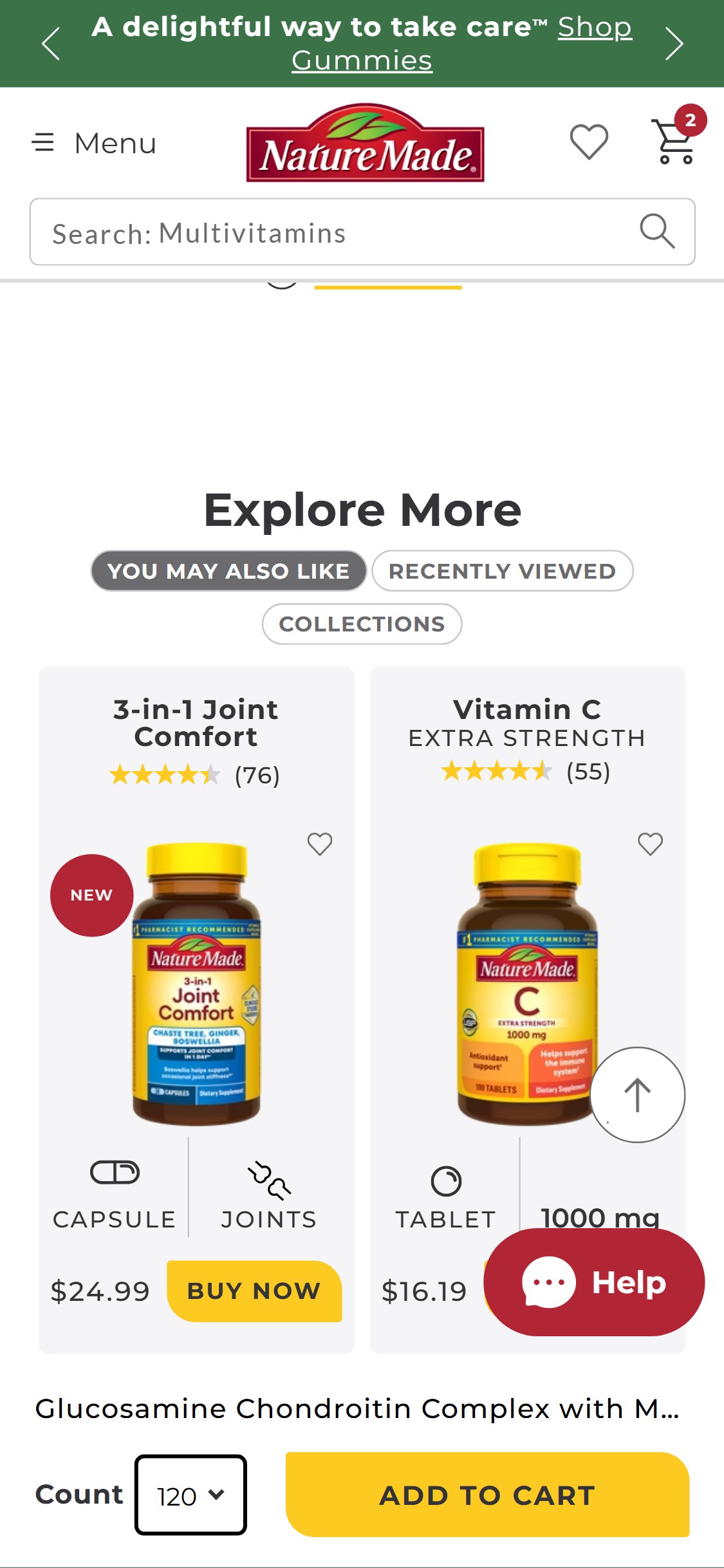
- Show subscription price on cards: display both 'Subscribe: $22.49/mo' and 'One-time: $24.99' with strikethrough, matching the pattern used by OLLY and New Chapter.
- For products with only one variant, show the count/format label (e.g., '75 Liquid Soft-Gels') so users understand what they're getting before clicking through.
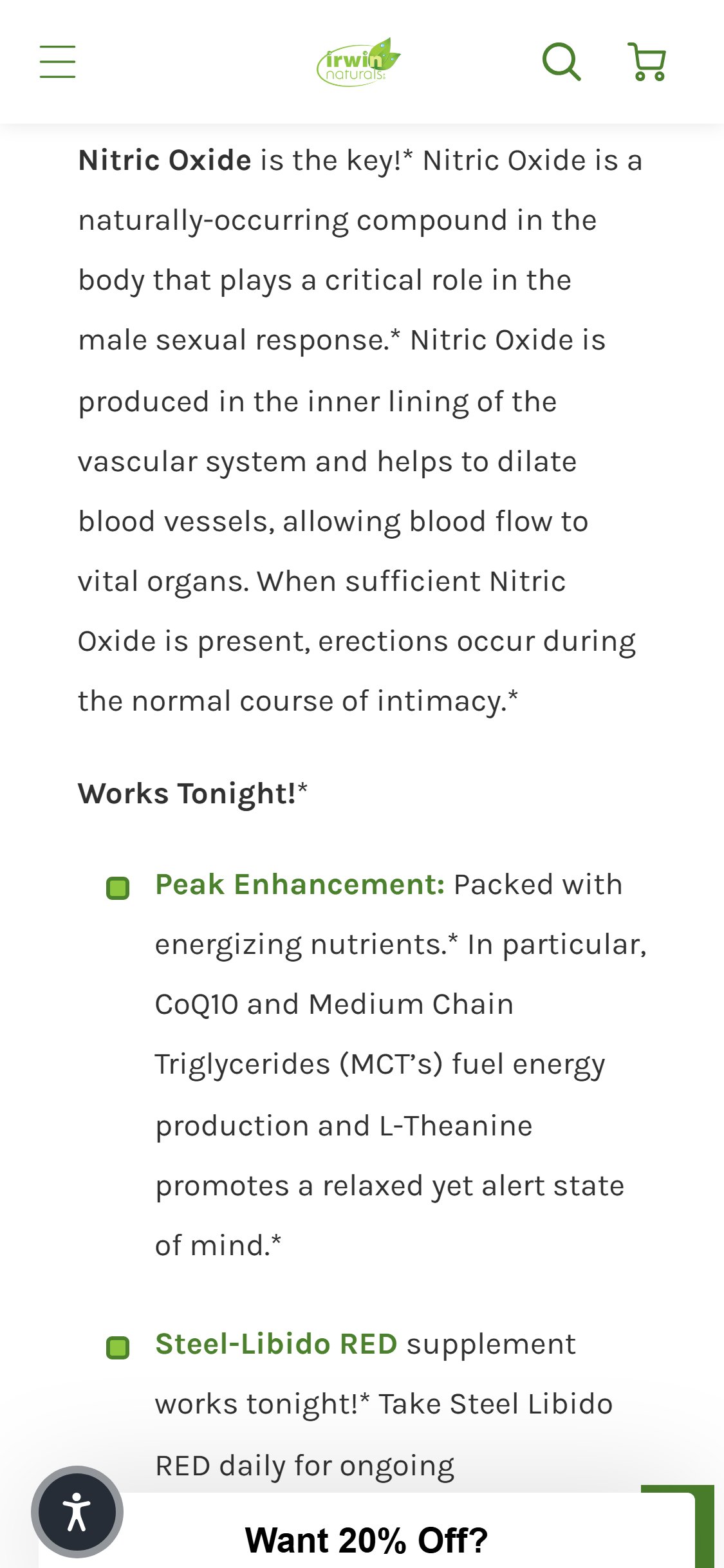
- At 1500px scroll depth on the Steel-Libido RED PDP, the only fixed element at the bottom of the screen is the Klaviyo 'Want 20% Off?' teaser bar — there is no sticky Add to Cart button or bar.
- The inline ATC button is positioned at approximately 700px from the top on mobile — once the user scrolls into the product description, supplement facts, or reviews sections, the ATC button is completely inaccessible.
- Programmatic verification confirmed: no elements with CSS position:fixed and height >30px containing ATC-related text exist on the page at any scroll depth.
- This is especially impactful for Irwin Naturals given that PDP content is lengthy (description, FAQ, supplement facts, reviews) — users spend significant time below the ATC button.
- Implement a sticky bottom ATC bar that appears when the inline ATC button scrolls out of the viewport — the bar should show: product name (truncated), selected variant, price, and a full-width 'ADD TO CART' button.
- The sticky bar should include the Subscribe/One-time selector or show the currently selected purchase type so users don't lose their subscription preference when they scroll back up.
- Use a Shopify app (e.g., Sticky Add To Cart Booster Pro, EasyButtons) or add the sticky ATC as a native feature in the Dawn theme's product template.
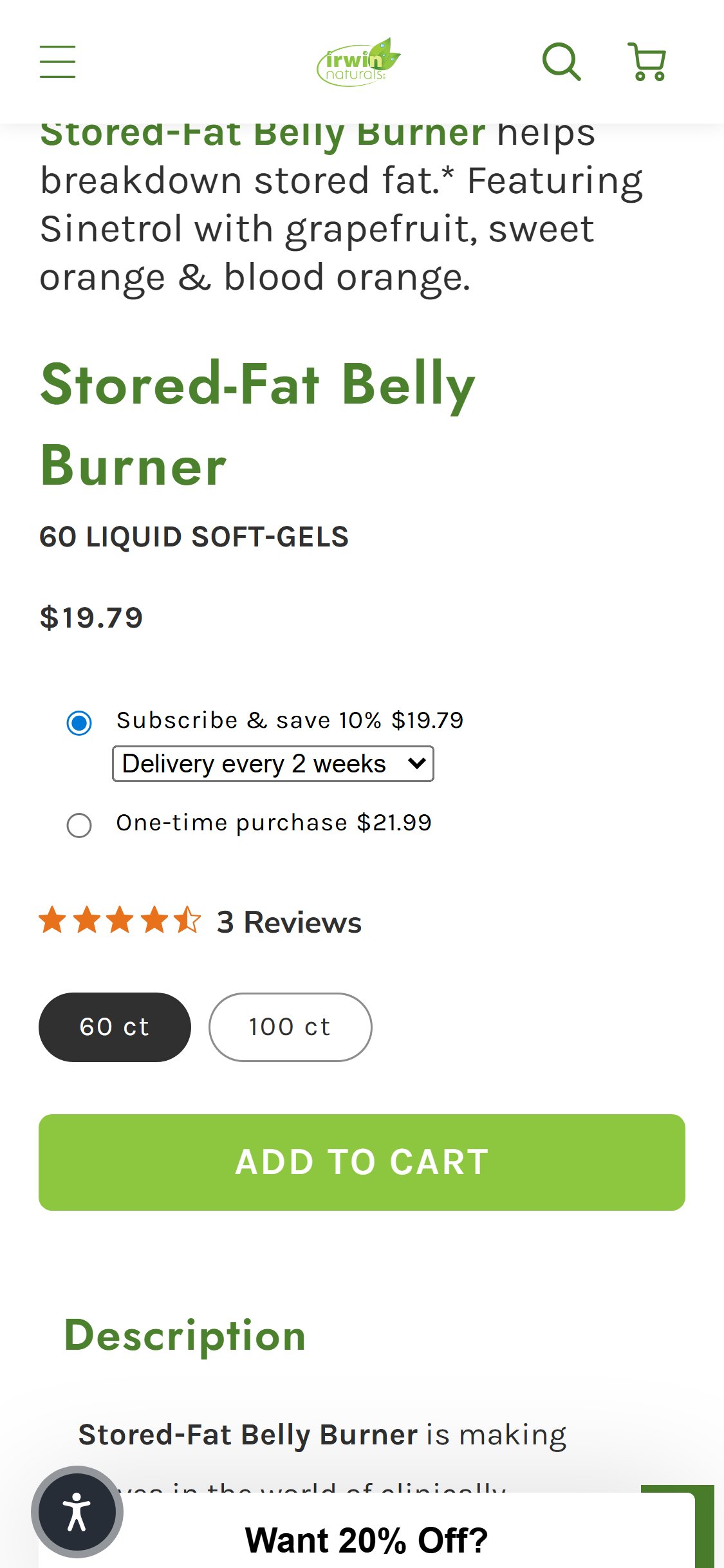
- The ATC zone on Stored-Fat Belly Burner PDP shows: subscribe/one-time radio buttons, count variant selector (60 ct / 100 ct), star rating with review count, and the ADD TO CART button — no certification badge images visible.
- The same pattern holds on Steel-Libido RED PDP: the ATC zone contains no visual certification badges (FDA, GMP, Non-GMO, Third-Party Tested, or similar).
- Irwin Naturals' 5 trust badges (3rd Party Lab Tested, 60-Day Money Back Guarantee, USA Grown Hemp, etc.) exist on the collection page header but are not surfaced on any PDP near the purchase button.
- US health & wellness benchmark requirement: 'Trust badge bar with 5+ badges (Non-GMO, Vegan, Third-Party Tested, Traceable)' is listed as a US-specific must-have in the benchmark data.
- Add a row of 3–5 certification badge icons between the ADD TO CART button and the Description section on all PDPs: 3rd Party Lab Tested, Non-GMO, GMP Certified, 60-Day Money Back Guarantee, and Free Shipping Over $49.
- Use the existing badge imagery from the collection page header — repurpose the exact same 5 badge SVGs into a horizontal icon row on each PDP template.
- Consider adding a product-specific 'Quality Promise' accordion section below the ATC that expands to show certification details and lab test report links.
- The Steel-Libido RED PDP shows a 'Supplement Facts' accordion section header with a down-arrow (collapsed state) — users see only the section title, not the actual supplement facts table, without manually tapping to expand.
- HW-04 (Ingredient/Supplement Facts Table) requires 'a structured supplement facts or ingredient panel showing active ingredients, amounts per serving, % daily value' — the content exists but is hidden by default.
- For supplement buyers, the Supplement Facts panel is often a primary evaluation criterion (especially for users with dietary restrictions or ingredient sensitivities) — hiding it by default creates unnecessary friction.
- The benchmark best practice (Accordion/Collapsible PDP Sections — 9/10 stores) recommends at least one section open by default, with the most critical content (Description or Supplement Facts) pre-expanded.
- Set the Supplement Facts accordion to open by default on page load — this is the most important ingredient transparency section for a supplement brand and should be immediately visible.
- If page length is a concern with Supplement Facts pre-expanded, collapse the general Description accordion instead — the Supplement Facts is more product-specific and decision-relevant.
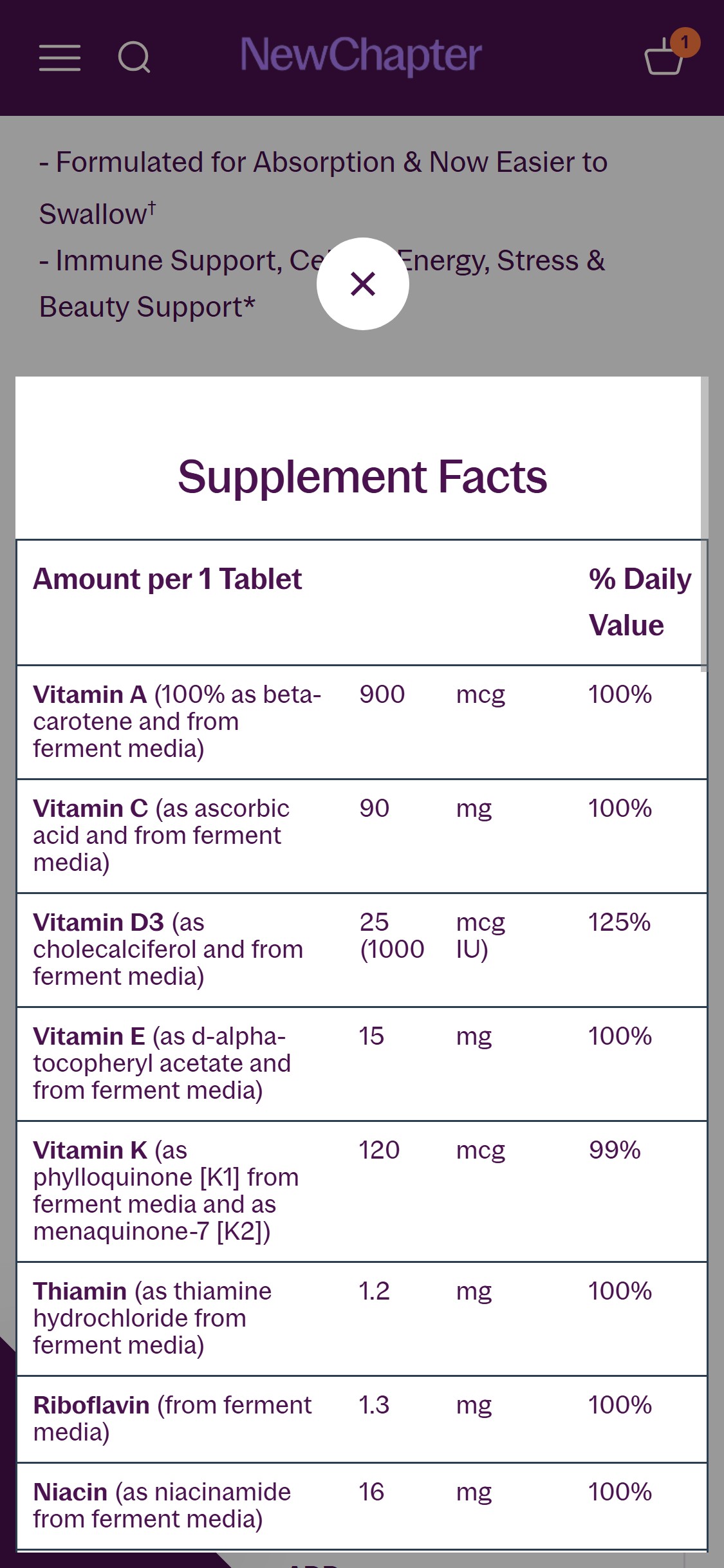
- Add a visual HTML-formatted supplement facts table (not just an image) inside the accordion so the content is indexable and accessible for users with screen readers.
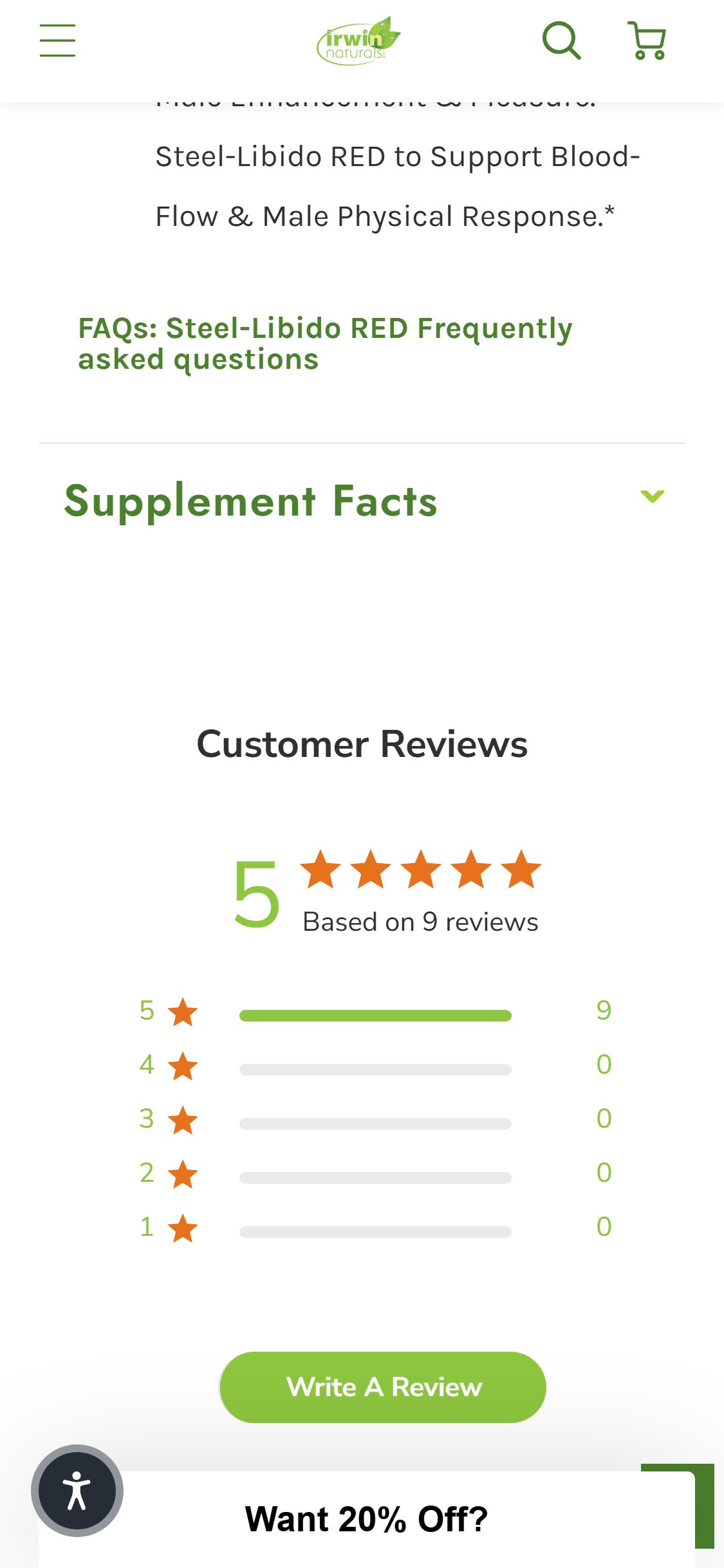
- The Customer Reviews section on Steel-Libido RED PDP shows: aggregate 5-star rating with 9 reviews, star breakdown bar chart, and a 'Write A Review' button — followed by individual text reviews with reviewer name, date, star rating, review title, and review body.
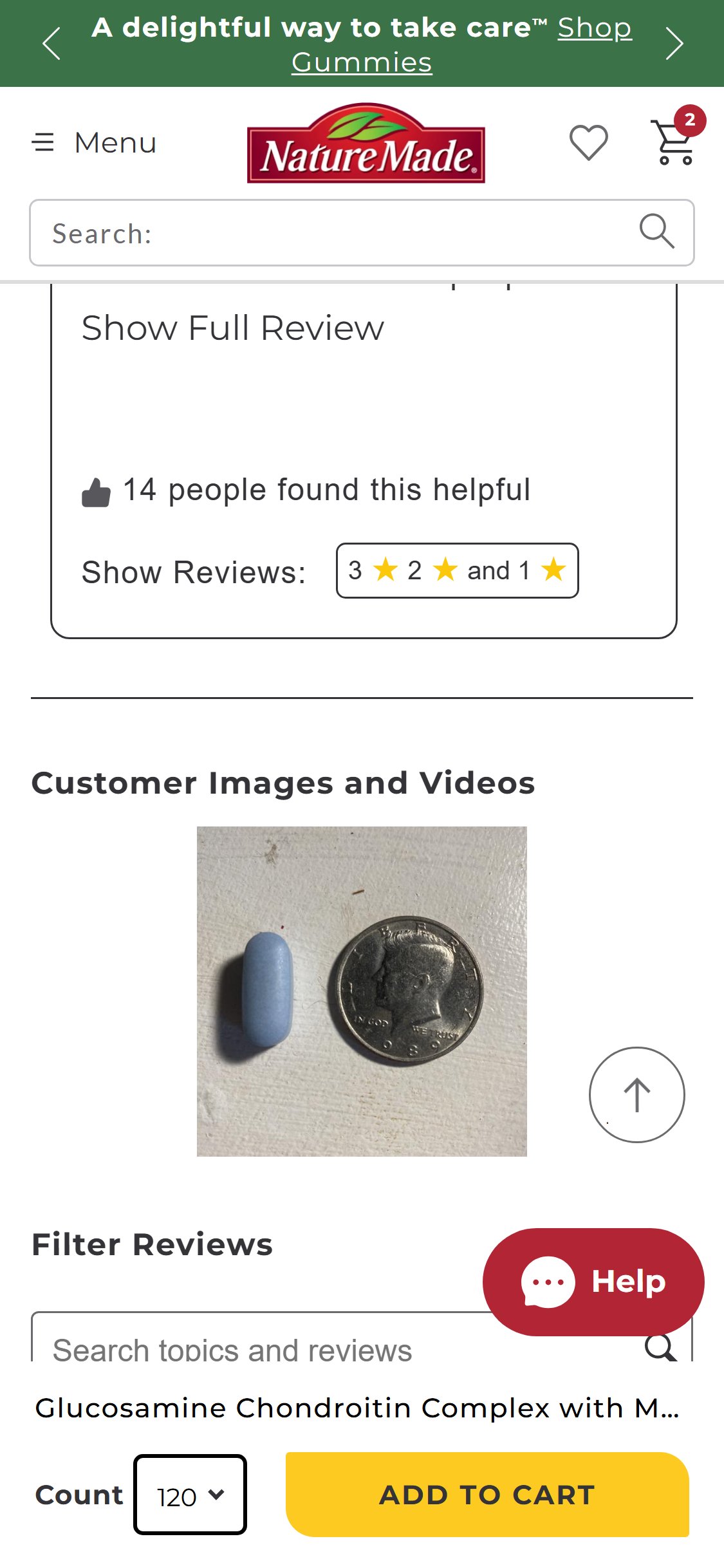
- No customer-uploaded photos or videos appear anywhere in the reviews section — no photo gallery, no UGC thumbnails, no 'X photos' count.
- Individual review cards (Robert F., Guillermo B.) show only avatar placeholders and text content — the Yotpo widget is configured for text-only reviews.
- PDP-11 and PDP-18 both require visual UGC in the reviews section — text-only reviews fail both parameters, reducing the social proof impact significantly for a supplement brand where 'does this actually work?' is the primary objection.
- Enable Yotpo's photo review feature — configure the review submission flow to prompt customers to upload photos of the product or themselves using it.
- Add a visual UGC gallery section above the individual review cards showing the best customer photos in a browsable grid or carousel.
- Send a post-purchase email sequence (via Klaviyo) specifically requesting photo reviews, with a discount incentive (e.g., '15% off your next order for a photo review').
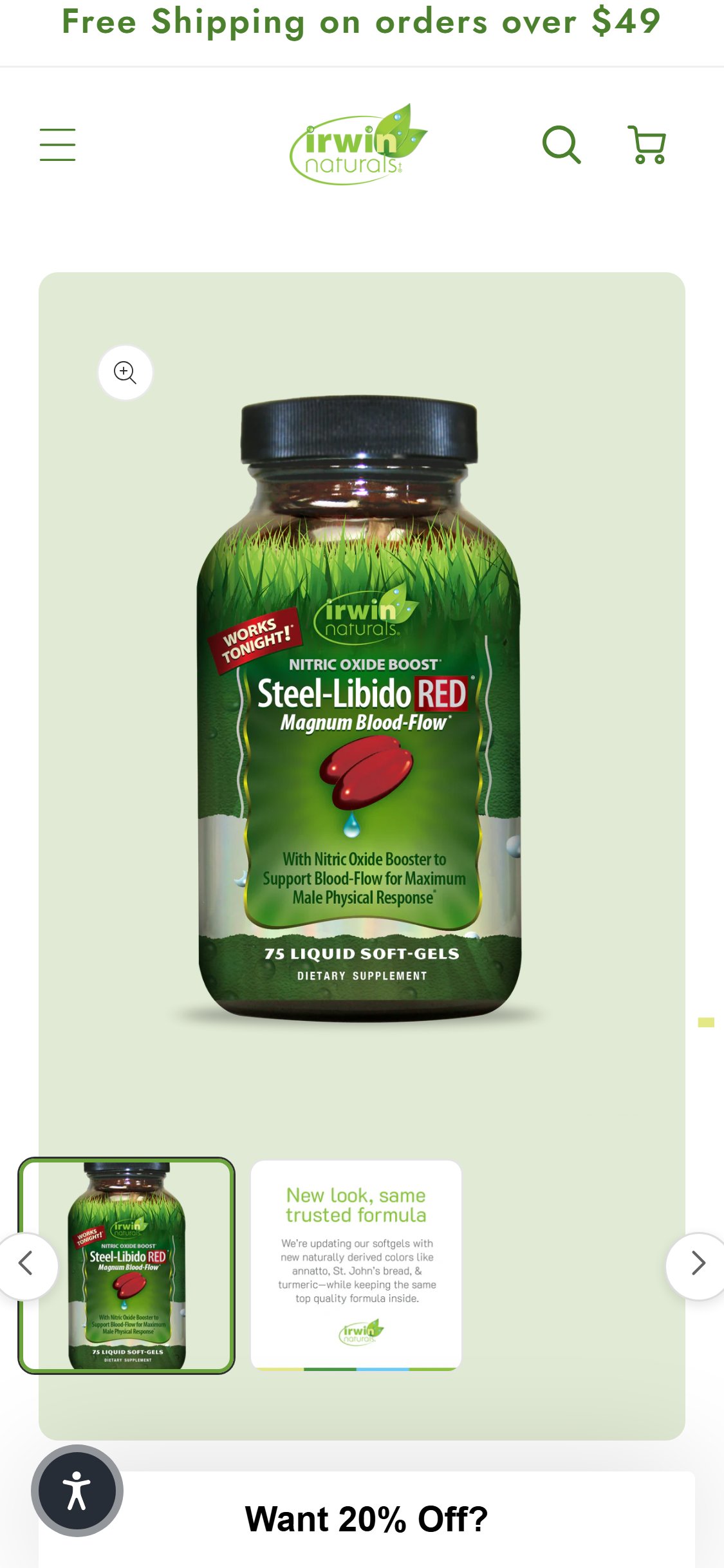
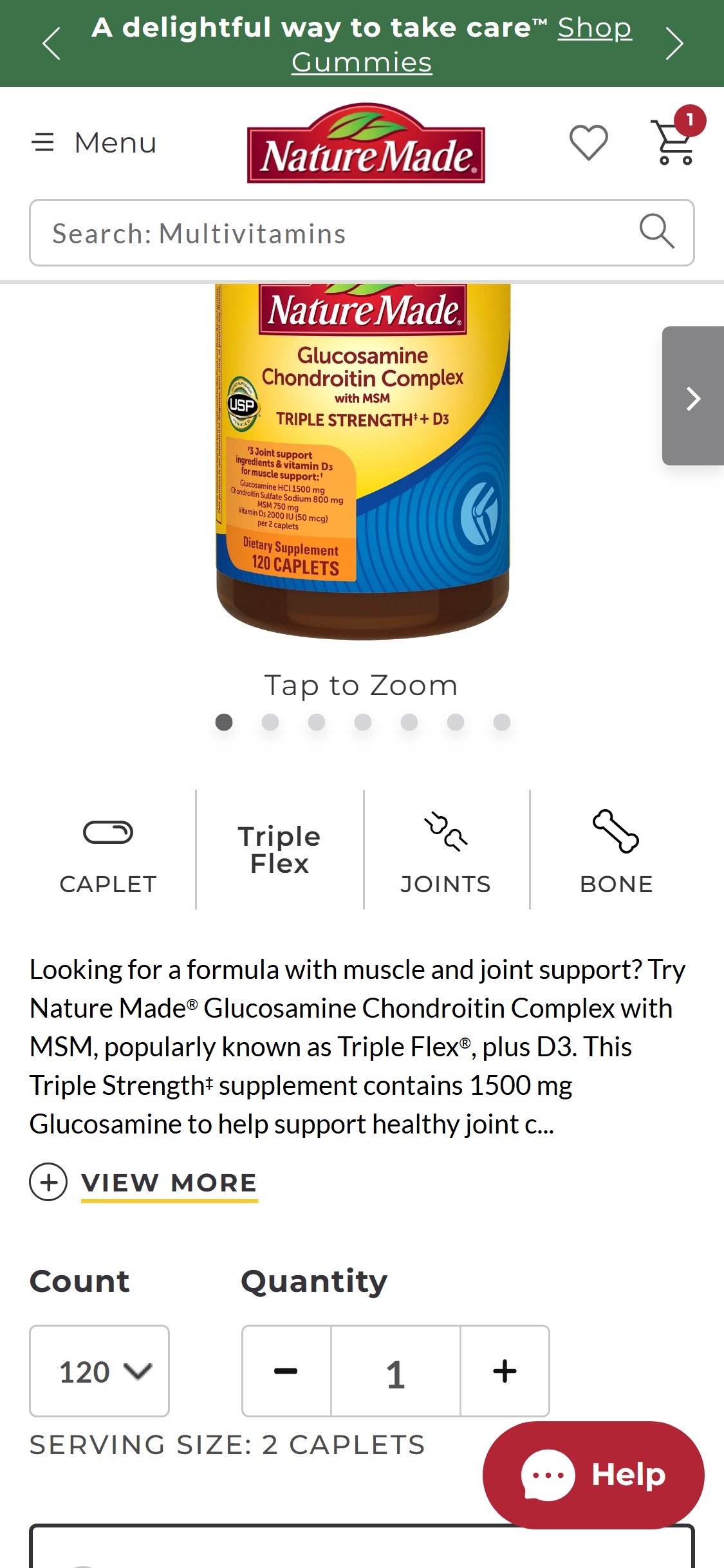
- The Steel-Libido RED PDP gallery shows exactly 2 thumbnails: (1) the primary product bottle shot and (2) a 'New look, same trusted formula' text card with the Irwin Naturals logo — neither is a lifestyle image, secondary angle, or ingredient visual.
- PDP-14 requires ≥3 product images from different angles or contexts (product shot, lifestyle shot, ingredient/detail shot) — this PDP has only 1 true product image.
- The gallery carousel has previous/next arrows and thumbnail strip, indicating the infrastructure supports multiple images — the gap is content, not technical capability.
- For a supplement brand, key missing images include: supplement facts panel image, back-of-bottle image, lifestyle shot (person taking the supplement), and ingredient highlight visual.
- Add a minimum of 3 additional images per PDP: (1) back-of-bottle showing supplement facts, (2) lifestyle shot showing the target customer demographic, (3) ingredient/key compound visual highlight.
- Consider adding a short product video (15–30 seconds) as the first gallery item — explaining the key benefit claim with visual context reduces purchase hesitation for supplements.
- Prioritize adding lifestyle imagery for the Steel-Libido and men's health product lines where visual context (active, confident male demographic) is especially persuasive.
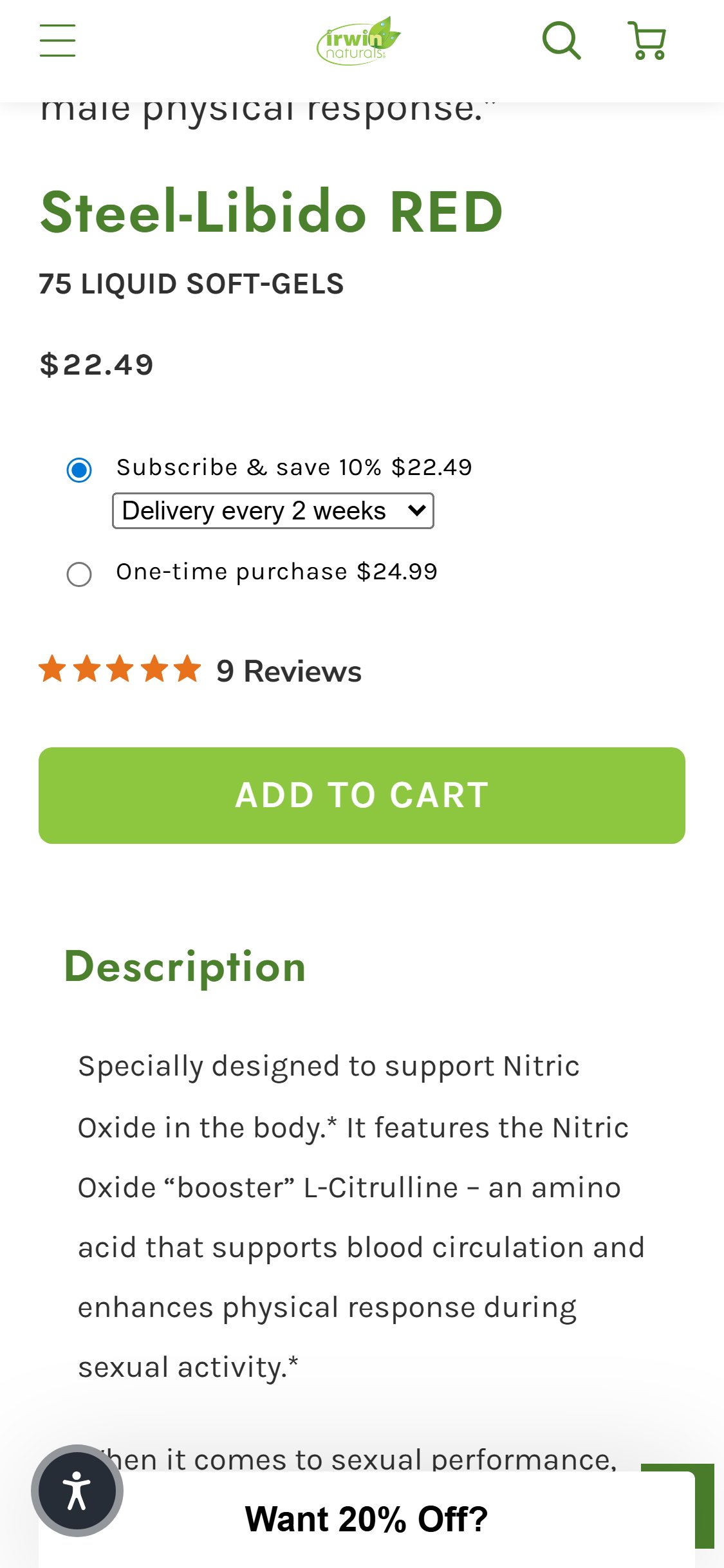
- The ATC zone on Steel-Libido RED PDP shows: Subscribe & Save 10% radio (pre-selected), One-time purchase radio, star rating (5 stars, 9 Reviews), and a single 'ADD TO CART' button — no 'Buy Now' or 'Buy It Now' button below.
- All users — including returning customers and those ready to purchase immediately — must go through the cart page before reaching checkout.
- The cart page adds an additional scroll step before the CHECKOUT button becomes visible (free shipping progress bar, item display, 'Irwin Fresh Updates' email section) — creating unnecessary friction for decided buyers.
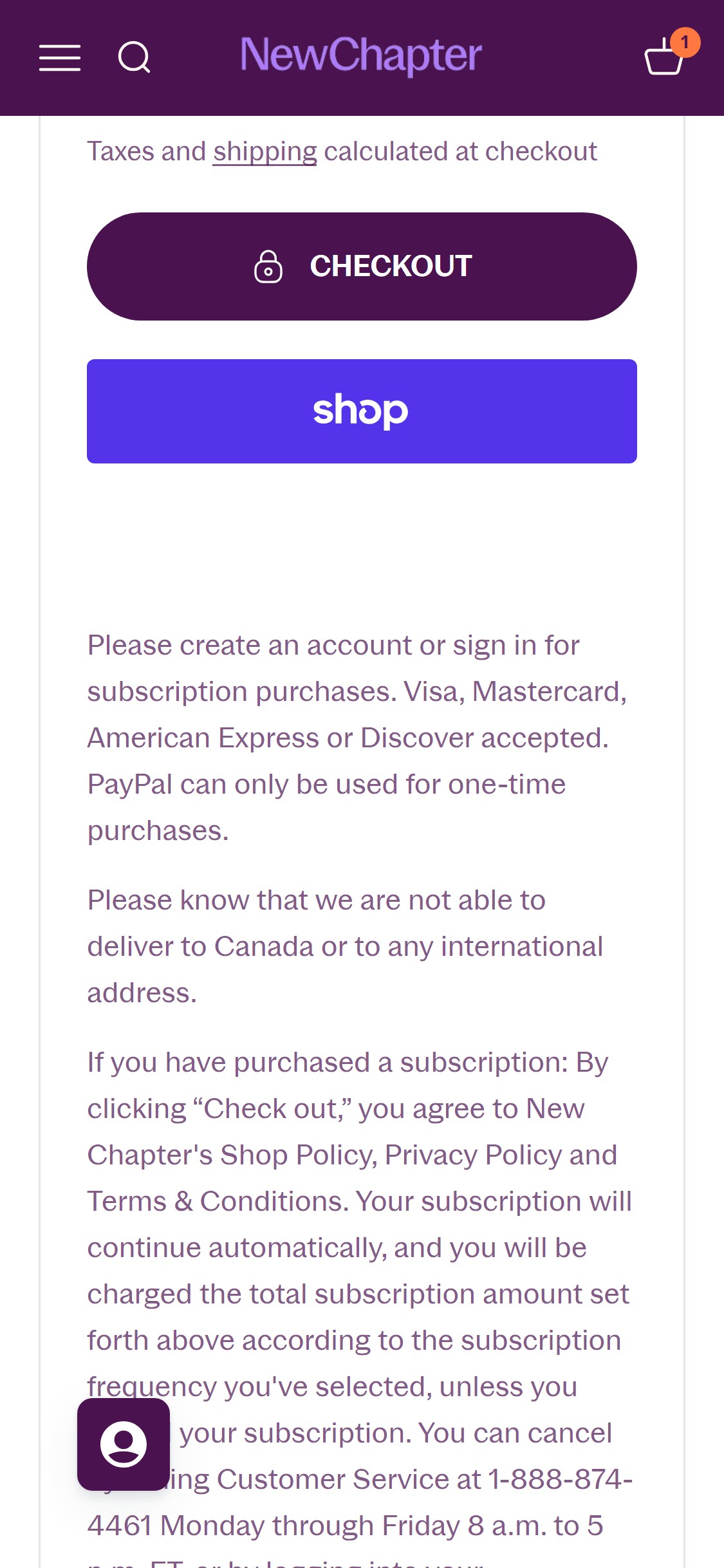
- Shopify's native 'dynamic checkout buttons' (Shop Pay, Google Pay, Apple Pay) can be enabled with one setting and serve as both Buy Now and express checkout simultaneously.
- Enable Shopify's dynamic checkout buttons below the ADD TO CART button — this adds Shop Pay, Google Pay, and Apple Pay as one-tap express checkout options that bypass the cart entirely.
- Show dynamic checkout buttons only for the 'One-time purchase' selection and keep ADD TO CART as the primary action for the Subscribe option — aligning the UX with subscription behavior intent.
- The dynamic checkout button also functions as a de facto 'Buy Now' for non-express-pay users who click 'Check out' from the payment selection sheet.
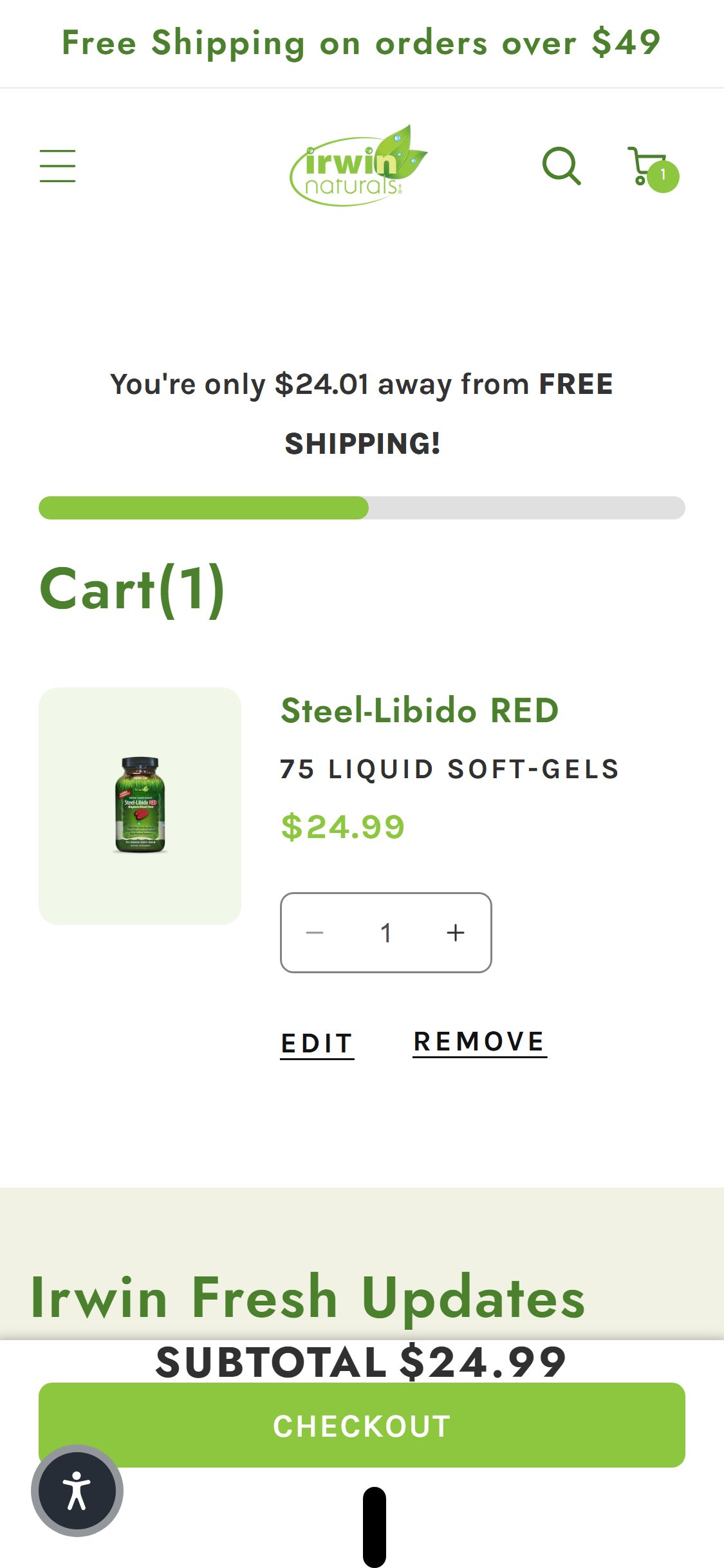
- The cart page with Steel-Libido RED in cart shows: free shipping progress bar ('You're only $24.01 away from FREE SHIPPING'), Cart(1) heading, item display with quantity controls, 'Irwin Fresh Updates' email section, SUBTOTAL, and CHECKOUT button — no product recommendation section appears.
- The 'Irwin Fresh Updates' email signup section occupies prime cart real estate that could instead show complementary products (e.g., 'Pairs well with Steel-Libido BLACK or Male Virility Formula').
- The free shipping threshold is $49 and a single item cart totals $24.99 — this is an ideal moment to surface a complementary product that brings the order to $49+ while also being relevant to the buyer.
- CART-01 requires at least one product recommendation section in the cart — currently none exist on either the cart page or the cart drawer.
- Add a 'You Might Also Like' or 'Complete Your Stack' product carousel below the cart item showing 3–4 hand-curated complementary products relevant to the product in cart (e.g., for Steel-Libido RED: show Male Virility, Testosterone UP, or energy-focused SKUs).
- Frame cross-sell recommendations around the free shipping threshold: 'Add $24.01 more for free shipping — these go great with Steel-Libido RED' with relevant product cards.
- Use a Shopify cross-sell app (Frequently Bought Together, Rebuy Smart Cart) or implement native product recommendations via the Shopify Recommendations API in the cart template.
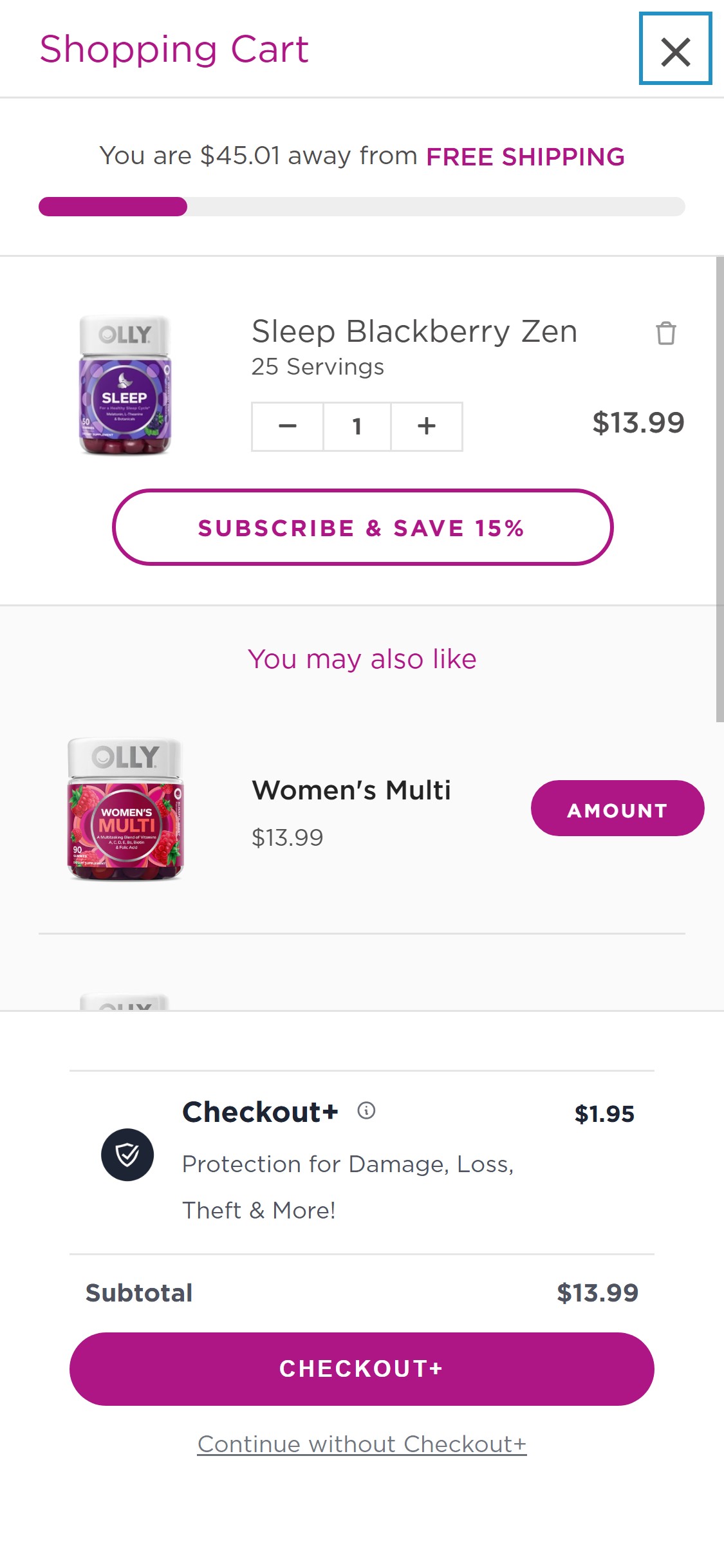
- The cart page checkout zone shows only a single full-width green 'CHECKOUT' button below the SUBTOTAL line — no Shop Pay, Apple Pay, Google Pay, or PayPal buttons appear anywhere in the cart.
- The footer payment section and site source confirm Shopify's payment infrastructure is active — the absence of express checkout buttons is a configuration choice, not a technical limitation.
- For returning customers and mobile users (who represent the majority of health supplement traffic), one-tap express checkout through Shop Pay or Apple Pay removes the full checkout form entry.
- Shopify data shows Shop Pay checkout has a 1.91x higher conversion rate than regular checkout — this is a zero-development-cost revenue lever available natively in Shopify settings.
- Enable Shopify's dynamic checkout buttons in cart settings — this adds Shop Pay, Google Pay, and Apple Pay buttons above or below the standard CHECKOUT button with zero development required.
- Position express checkout buttons above the standard CHECKOUT button with a divider ('— or pay with —') to give them visual prominence for mobile users.
- Enable Shop Pay Installments to display 'Pay in 4 installments of $X with Shop Pay' near the checkout area — this reduces price hesitation for customers spending $50–$150.
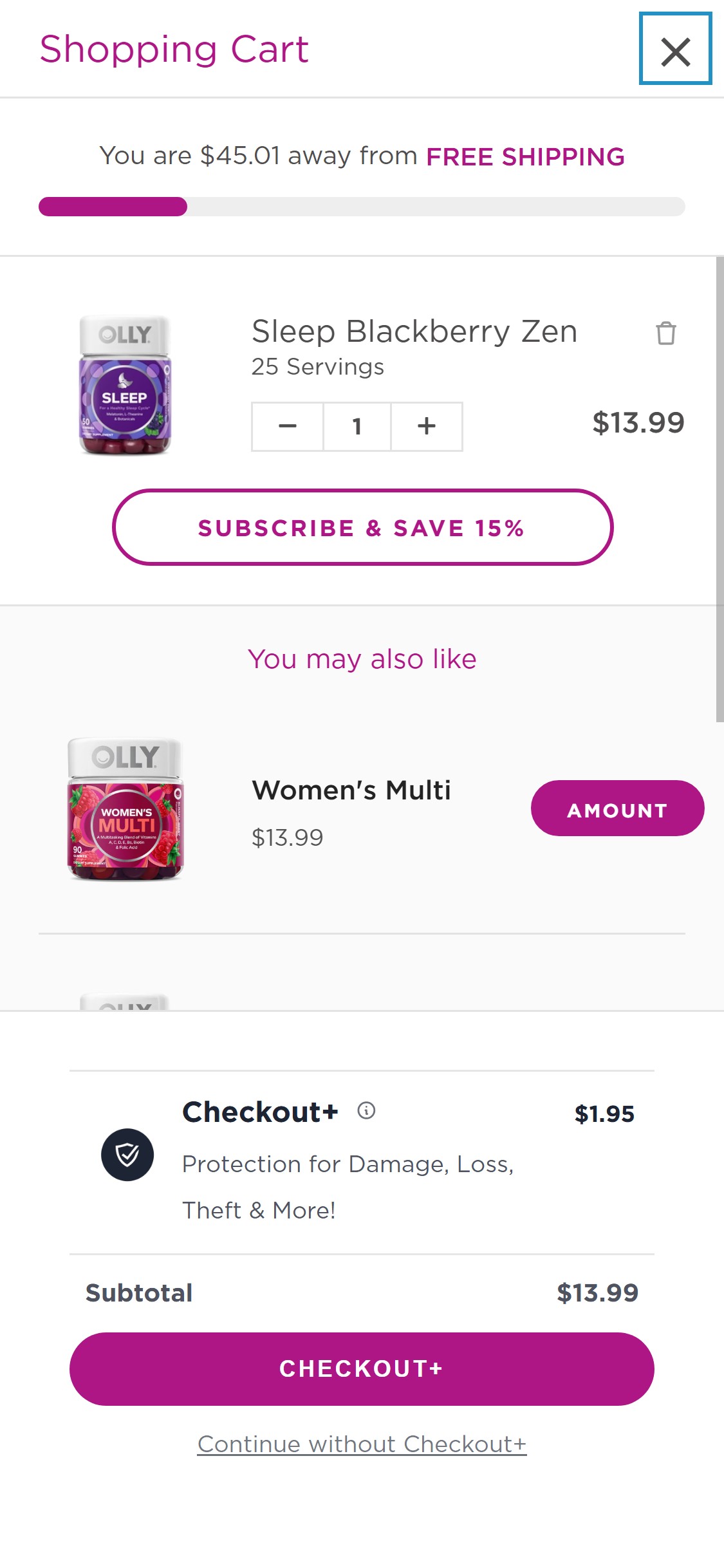
- The cart checkout zone contains: SUBTOTAL $24.99 and a full-width green CHECKOUT button — no payment method logos (Visa, Mastercard, PayPal), no security badge, no 'Secure Checkout' text, no money-back guarantee mention.
- The footer does include payment icons and the 60 Day Guarantee link, but these are 8+ scrolls below the cart checkout zone and functionally invisible during the purchase action.
- CART-02 requires at least one trust indicator within 200px of the checkout button — the cart currently has zero.
- A simple 'Secure Checkout' badge with a lock icon, or a row of Visa/Mastercard/PayPal logos, is sufficient to satisfy this requirement and reduce first-time buyer hesitation.
- Add a row of accepted payment method icons (Visa, Mastercard, American Express, PayPal, Shop Pay) immediately below the CHECKOUT button.
- Add a 'Secure Checkout' text line with a lock icon above the payment icons — this single line copy has strong impact on first-time buyers unfamiliar with the brand.
- Consider adding a compact '60-Day Money Back Guarantee' badge directly in the checkout zone to reinforce the brand's existing guarantee at the moment of payment commitment.
- The cart page with Steel-Libido RED shows free shipping progress bar, item details with quantity controls, and checkout button — no countdown timer, no 'reserved for X minutes' message, no 'only X left in stock' indicator.
- The free shipping progress bar ('You're only $24.01 away') functions as a soft incentive but is not an urgency trigger — it creates motivation to spend more, not motivation to complete purchase now.
- Without urgency signals, users can leave the cart, comparison-shop, or simply forget to return — no mechanism re-engages them or creates time pressure.
- A simple 'Order within 3 hours for same-day dispatch' message or 'Only 12 left in stock' per-item signal can be implemented without third-party apps using Shopify's inventory API.
- Add a 'Limited Stock' indicator per cart line item when inventory falls below 20 units — display 'Only X left in stock' in orange text below the item quantity selector.
- Add a shipping cutoff message near the checkout button: 'Order within X hours for processing today' (dynamically calculated based on warehouse cutoff time, e.g., 3pm PT).
- For cart abandonment recovery, configure Klaviyo's abandoned cart flow with a 1-hour trigger — the first email should reference the specific product left in cart and include a time-limited offer.
Performance & Technology
Core Web Vitals, page-speed signals, and the technology stack powering Irwin Naturals
Core Web Vitals
Technology Stack
Performance & Technology Assessment
Mobile performance is needs work (24/100); desktop is needs work (54/100) on Shopify. Page-speed and Core Web Vitals are increasingly load-bearing for SEO and conversion in this category — addressing the weakest vital first is the single highest-leverage technical improvement available.
Confidential — Prepared for Irwin Naturals by Growisto | May 2026
App Ecosystem
What's installed vs what's missing from best-in-class Health & Wellness stores
Present (6)
Missing (7)
App Stack Assessment
Irwin Naturals has a solid foundational app stack: Recharge handles subscriptions correctly with pre-selected subscribe-and-save, Klaviyo handles email marketing, and Yotpo handles reviews. The three highest-priority missing capabilities are: (1) Cart cross-sell to capture AOV uplift from complementary supplement recommendations — this is the single highest-leverage gap given the brand's broad catalog and the existing free shipping threshold incentive; (2) Sticky ATC for mobile PDP — a configuration gap in the Dawn theme that could be solved with a lightweight app or theme code addition; (3) Dynamic checkout buttons (Shop Pay, Apple Pay) — a native Shopify capability that requires only enabling a setting, not installing any app. Enabling these three capabilities requires minimal development investment and addresses the most impactful conversion gaps identified in the UX audit.
Confidential — Prepared for Irwin Naturals by Growisto | May 2026